

www.bistonesoft.com
Hotel Management System Full Board Version Online Help
Step 5 How to manage your guests
OK, when a guest wants to reserve your room or bed, you can collect his/her information, and then, follow these simple steps to manage them:
Step 1) Go to Guests Section
Go to Guests section, as Figure 27 shows:
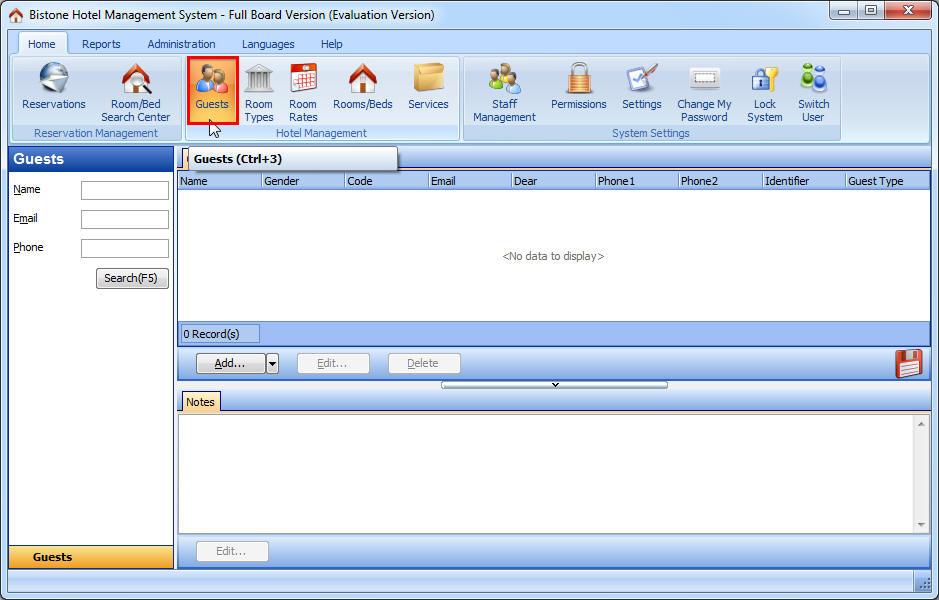
Figure 27 Go To Guests Section
Step 2) Click Add Button
Click Add button in the Guests panel, as Figure 28 shows:
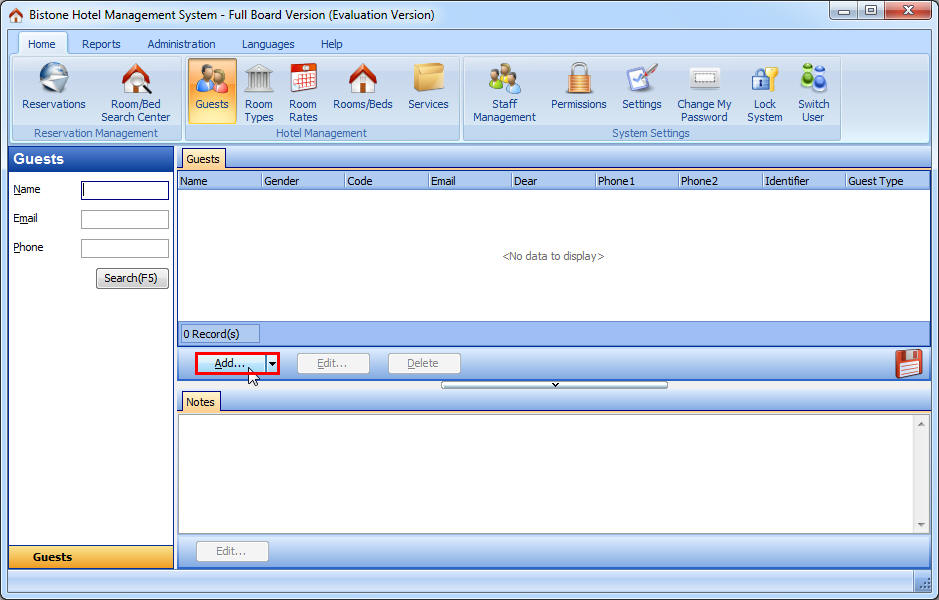
Figure 28 Click Add button
Step 3) Enter All Fields
Enter all fields in the Add Guest dialog, as Figure 29 shows:
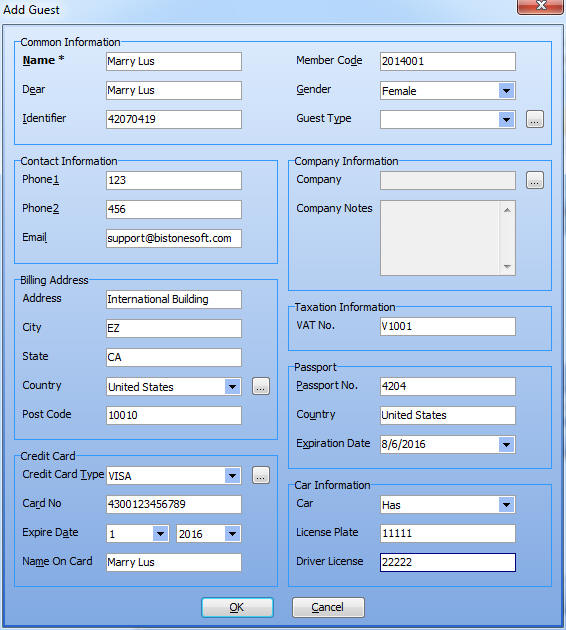
Figure 29 Enter All Fields
And then, click OK button in the Add Guest dialog, look, you can see all guests of your hotel in the guests panel, as Figure 30 shows:
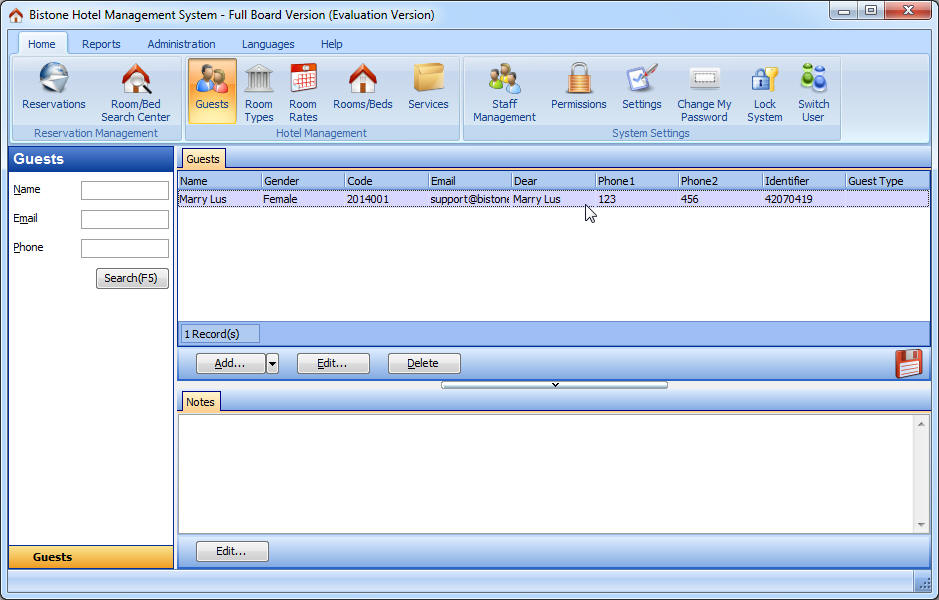
Figure 30 Guest List