

Step 4 How to manage all rooms/beds of your hotel
If you want to manage all rooms or beds of your hotel, please follow these simple steps:
Step 1) Go to Rooms/Beds section
Go to Rooms/Beds section, as Figure 22 shows:
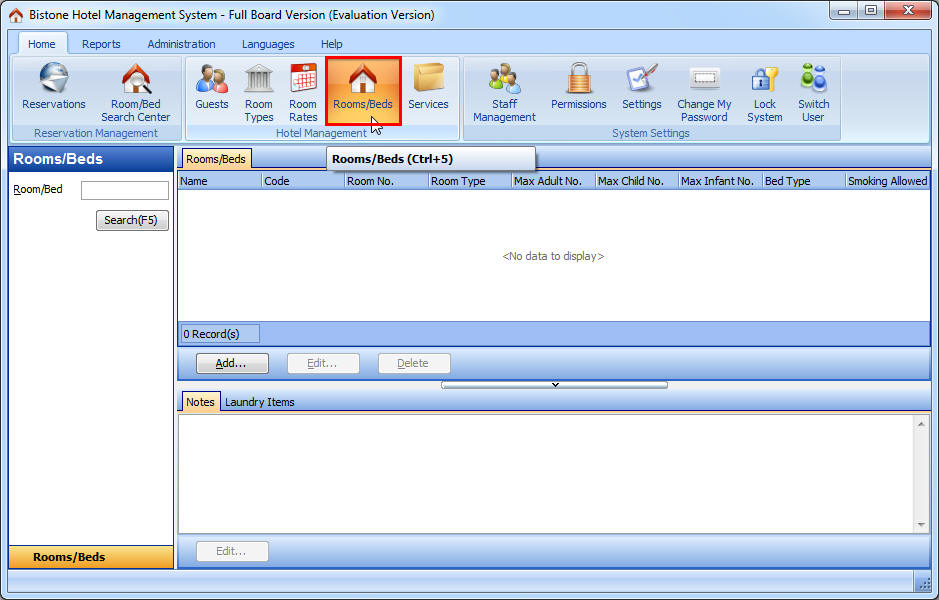
Figure 22 Go To Rooms/Beds Section
Step 2) Click Add button
Click the Add button in the Room/Bed panel, as Figure 23 shows:
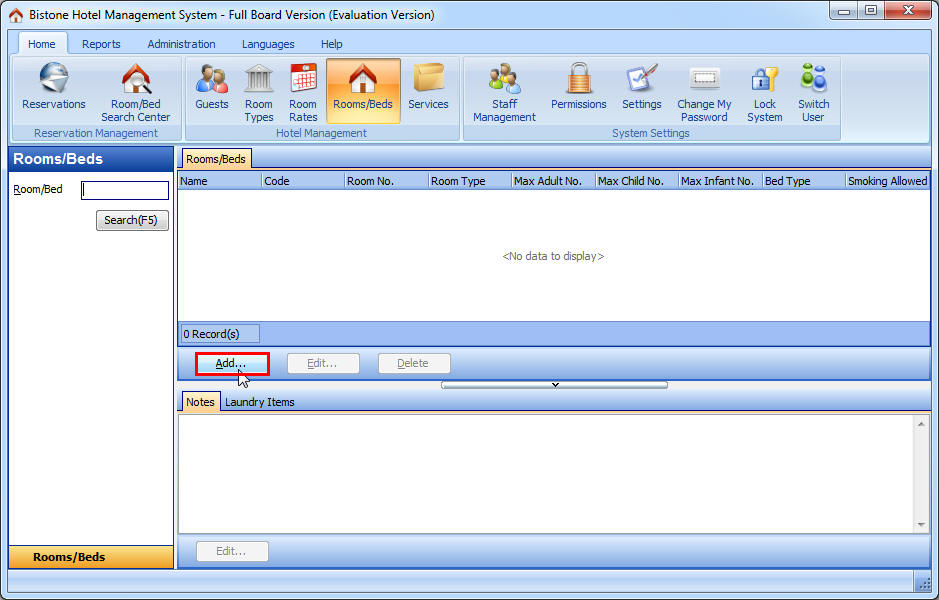
Figure 23 Click Add Button in Boom/Bed Panel
Step 3) Enter All Fields
Enter all fields in the Add Room dialog, as Figure 24 shows:
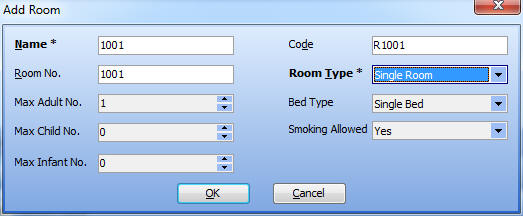
Figure 24 Enter All Fields in Add Room Dialog
Of course, if you want to add a bed of a 6-bed room, you can enter them as Figure 25 shows:
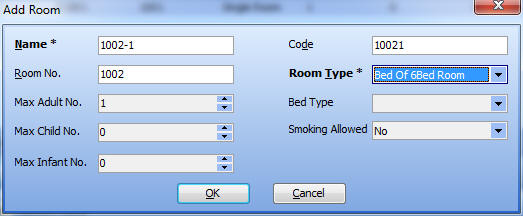
Figure 25 Enter All Fields in Add Bed Dialog
OK, you can see all rooms/beds of your hotel in the room/bed panel, as Figure 26 shows:
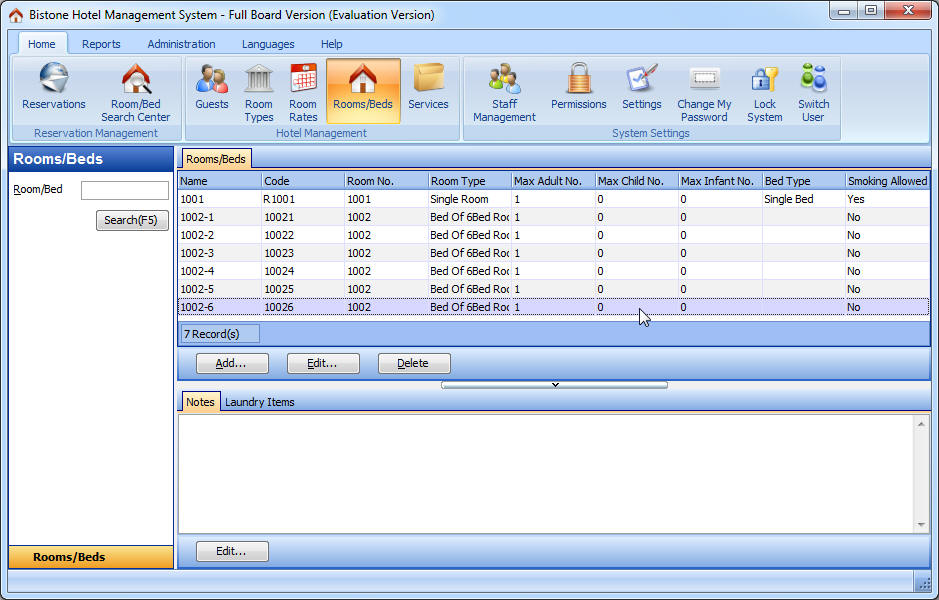
Figure 26 Room/Bed Panel
You can click Edit button to modify your room or bed, and you can click Delete button to delete the selected room or bed.